Expressing an emotion

Social interaction is often accompaigned by emotions. You wnat to make your robot an empathic interaction for user?

Browse patterns for emotional expressions of a robot.

Giving Feedback

Feedback is an important design principle in interaction design. There are several ways a robot can react to user input. Browse patterns that can be used to let the robot provide feedback to the user.

Communicating robot state​

To be able to anticipate (future) actions of the robot, the user needs to understand the current state of the robot. Thus, it is important to make sure that the current state of the robot is always visible to the user.

Browse here for ideas how to express the current state of the robot.

Having a conversation

Conversating is one of the most important tools achieving a successful communication. Many robots are designed to communicate via speech – but how can non-verbal expressions be used to enhance communication?

 Browse patterns for conversation-related robot behavior

Communicating background activity

Internal processing of the robot is hardly ever visible from the outside. In these situations, it might be difficult for the user to understand what is going on and what is going to happen next.

Browse here to discover ways to let your robot communicate background activity.

Communicating a current task​

A robot’s current task is not always obvious to people around it. When the robot communicates what it is currently doing, users can better understand its behavior and anticipate what will happen next.

Browse patterns that show how your robot can communicate its current task.

Indicating safety distance​

When interacting with a robot, keeping a certain safety distance can be important to avoid collisions or disruptions of its task. In some situations, users may not be aware that they are getting too close.

Browse patterns that help your robot encourage users to maintain a safe distance.

Managing user's attention

During interaction, a robot may need to direct the user’s attention to itself or to specific points of interest in the environment. Clear cues can help users quickly understand where to look.

Browse patterns that show how your robot can guide the user’s attention effectively.

Preventing robot bullying

Robots that operate in public or shared spaces may sometimes be subject to teasing, rough handling, or other forms of disruptive behavior. Appropriate responses can help discourage such actions while maintaining a positive interaction experience.

Browse patterns that help your robot respond to and discourage harmful behavior.
Playing a game

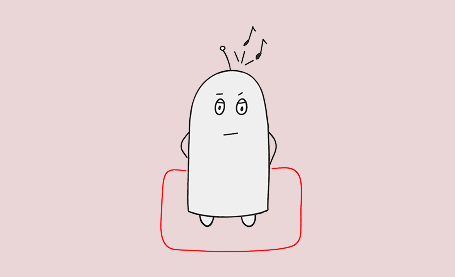
At home, social robots are often used for entertainment purposes. Meaningful behavior can make your robot more engaging and fun to play with. 

Browse game-play related patterns.

Welcome to the Robot Behavior Pattern Wiki for Human-Robot-Interaction

You are a designer or software developer working with social robots and constantly looking to make its behavior comprehensive and pleasent for the user.

Based on extensive research in user experience design and ethis, our Pattern Wiki provides design recommendation for our 40 different states and intentions communicatiion goals of a robot. Our patterns are modular – you can use and combine them as required for your project and specific robot.

Modalities

Categories

Requesting Evasion

Indicating safety distance | Atomic

“Please evade me.”

Approaching

Indicating safety distance | Atomic

"I am too close to you.”

Safety Zone

Inidcating safety distance | Atomic

"This is my safety zone. I'm keeping my distance from you.”